
Introduction: Evaluating Generative AI Tools Under Regulatory Pressure
The rapid growth of generative AI tools has created a ton of opportunity for teams that want to work faster and smarter. But in 2026, this growth also comes with serious compliance risks. Technology leaders are in a tough spot. They need to adopt the best tools to stay competitive, but they also have to follow strict new rules.

In 2026, the pressure is on like never before. The EU AI Act is forcing companies to look closely at every tool they use.
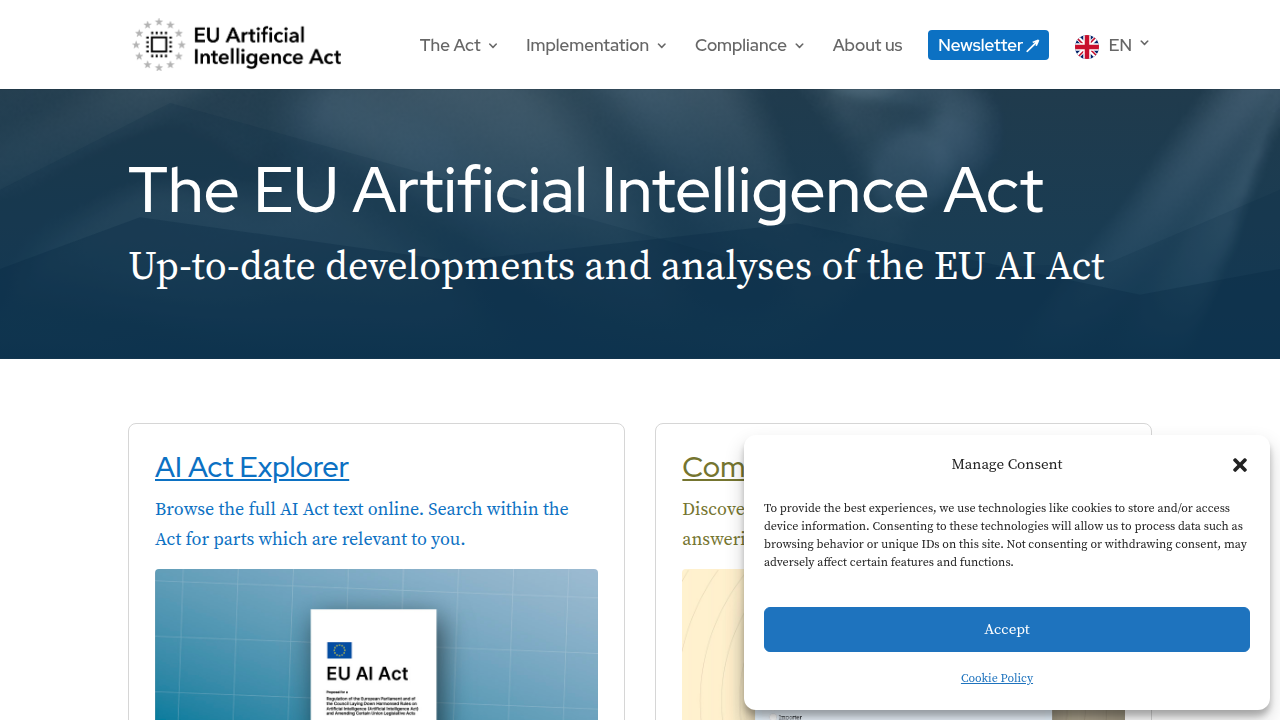
Deciding which AI tools are safe to use requires a strong compliance strategy. For example, reading about ai regulations 2026 compliance strategies to avoid million dollar fines can help you build a strong foundation.
One tool that has gained a lot of attention is Mindgrasp AI. It helps teams with quick summarization and note-taking. But the big question is: can it meet today’s strict rules for transparency and safety? Many people are asking if Mindgrasp AI is ready for the kind of regulatory scrutiny we see in 2026.
That is exactly what this review is for. We are going to look at Mindgrasp AI from the ground up. Our focus will be on its features, its security setup, and how well it aligns with the rules that matter most in 2026.
Navigating these rules is complex. You need reliable information to make smart choices. That is why staying informed is so important. Get clear daily AI updates from The AI Newsletter Worth Reading.
What Is Mindgrasp AI? An Overview for Tech Executives
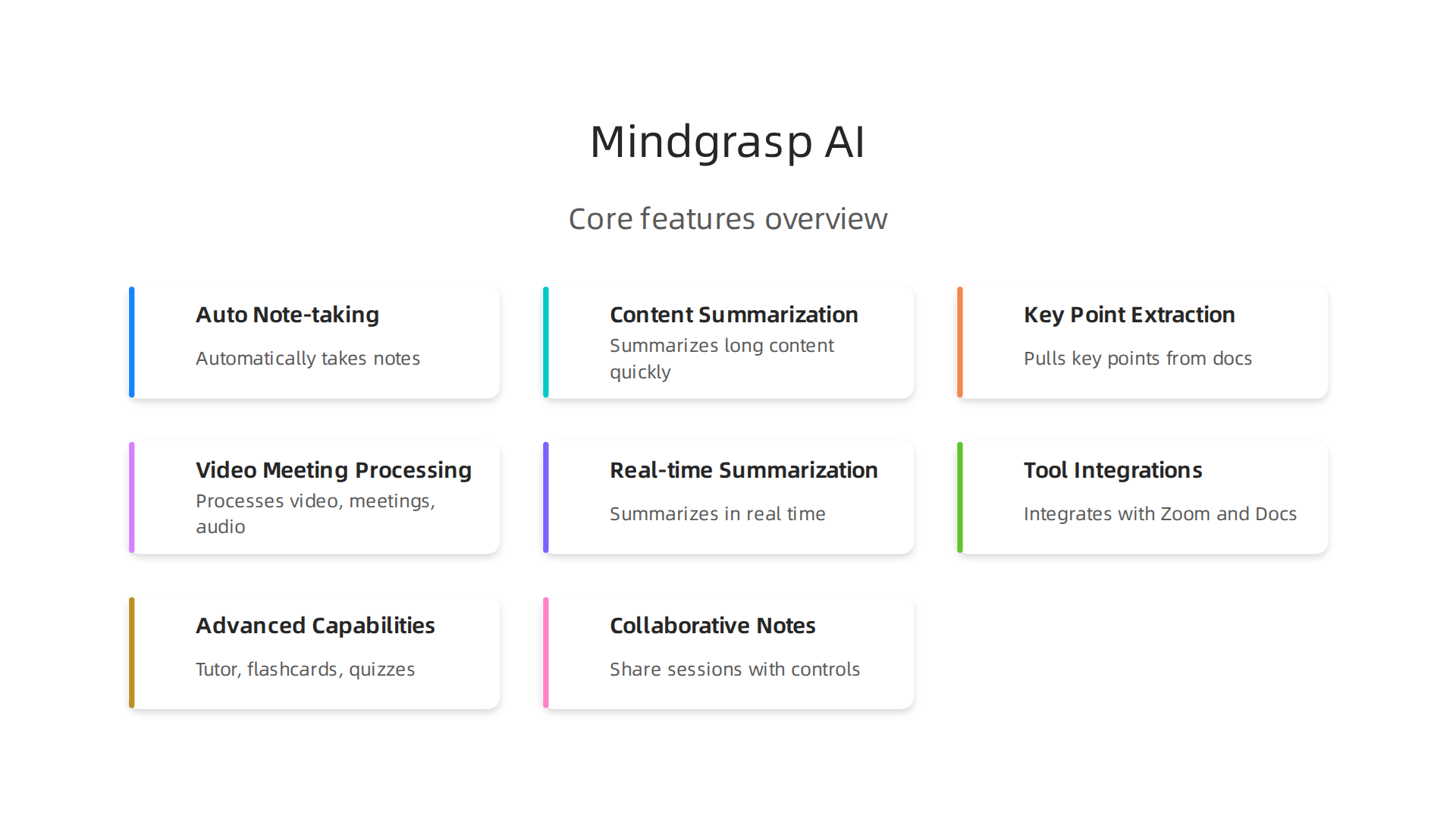
So let’s get into it. Mindgrasp AI is a generative AI platform built to help people process information faster. Think of it as a smart assistant that automatically takes notes, summarizes long content, and pulls out key points from videos, meetings, and documents.
For example, imagine your team sits through a 45-minute product demo. Instead of having someone manually write down everything, Mindgrasp AI can listen in, identify the main ideas, and hand you a clean summary. That kind of speed sounds great for busy teams.
The platform targets two main groups. First, enterprise teams that deal with massive amounts of recorded content. Second, individual professionals who want to cut down on note-taking time. In both cases, the promise is simple: spend less time sifting through information and more time acting on it.
But here is the part that matters for anyone doing a compliance check. Mindgrasp AI processes a lot of data. It listens to audio, reads text, and extracts information. That means if you feed it sensitive meeting recordings or confidential documents, those materials go through the platform’s systems. So you have to know exactly what happens to that data after it enters the tool.
This is where customer reviews of Mindgrasp AI provide a reality check. Some users report concerns about billing and customer support. From a compliance standpoint, those complaints hint at broader issues around transparency and trust. If the company struggles with simple customer communication, how reliable are its data handling policies?
For technology leaders, understanding the core architecture is step one. You need to know how the tool stores your data, whether it uses your content for model training, and what third parties can access it. Without those answers, you cannot confidently say you are following EU AI Act rules or other privacy laws.
If you are still building your list of approved tools, check out our guide on the best ai tools for business productivity in 2026. It covers other generative AI tools that may already have stronger compliance documentation.
Up next, we are going to dig into the specific features of Mindgrasp AI and see how they stack up against what regulators now require.
Core Features and Capabilities: A Deep Dive
Let’s open the hood and look at what Mindgrasp AI actually does. The platform comes packed with features that aim to turn raw content into structured, easy-to-digest materials in seconds.
Real-time summarization is the star feature. You feed it a 45-minute recorded meeting or a dense PDF report, and it spits out a clean summary highlighting the main points. This works for videos, audio files, PDFs, PowerPoint slides, and even web links. The system uses natural language processing to identify key ideas and organizes them into notes with timestamps so you can jump back to the original source instantly.
The platform also integrates directly with tools you already use. It works with Zoom, YouTube, Google Docs, and popular learning management systems like Canvas and Blackboard. That means you can connect your existing workflow and let Mindgrasp AI process content automatically after each meeting or upload.
Advanced capabilities go further. Automatic highlight detection pulls out the most important sentences from your content. The AI Tutor answers questions based on your uploaded materials and keeps the conversation context-aware. You can also auto-generate flashcards, quizzes, and multiple-choice tests to check understanding.
For teams, collaborative note spaces let you share sessions with controlled access. You invite people via email or public links and decide who can view or edit. This is useful for study groups or internal training teams that need to review the same material.
A full overview of these features is available in this Mindgrasp AI review from Unite.AI. It breaks down each tool including the Chrome extension, language support for over 30 languages, and the AI Web Search that pulls citations from Google Scholar.
But here is the catch for compliance teams. Feature depth changes depending on your pricing tier. The Basic plan gives you unlimited notes, summaries, and flashcards. The Premium plan adds image analysis and more live recording hours. If your organization handles sensitive data, you want the tier that offers stronger controls. The pricing page at Mindgrasp AI details these differences, and you should review them before any deployment.
For technology executives, the real question is whether these features align with your data governance policies. If you need to know exactly how your data is processed and where it resides, make sure the features you plan to use are documented clearly. That includes understanding which integrations send your data to third-party servers.
If you are comparing tools for your compliance stack, check out our coverage of AI regulations 2026 compliance strategies to avoid million-dollar fines. It covers what regulators now require from generative AI tools like Mindgrasp AI.
Staying updated on AI developments is critical for making informed compliance decisions. Get clear daily AI updates from The Deep View Newsletter to keep your team ahead of regulatory shifts.
Up next, we will examine the security and privacy controls Mindgrasp AI offers and how they measure up against enterprise compliance needs.
Mindgrasp AI vs. Leading Alternatives: A Structured Comparison
Before we dig into security controls, it helps to see where Mindgrasp AI stands next to popular alternatives like Otter.ai, Fireflies.ai, and Notion AI.
Each tool handles note taking and summarization differently, and the right choice depends on your use case.
Transcription accuracy and depth. Otter.ai is strong for real time meeting transcription, especially if you work in English. Fireflies.ai also does well with live calls and integrates directly with Zoom and Slack. But both platforms struggle with long form video content, like recorded lectures or hour long training sessions. Mindgrasp AI handles these better because it summarizes full videos, audio files, and slides in one go. It identifies key arguments and evidence from the entire file, not just the first few minutes.
Integration depth and automation. Notion AI works inside your existing Notion workspace, which is great for teams already using that platform. But it does not connect to YouTube, Vimeo, or learning management systems out of the box. Mindgrasp AI connects with Blackboard, Canvas, Panopto, Google Docs, and web links, making it more flexible for education and enterprise training environments.
Pricing and data residency. This is where compliance teams need to pay attention. Mindgrasp AI offers three tiers starting at $9.99 per month for Basic, $12.99 for Scholar, and $14.99 for Premium according to the Mindgrasp AI pricing page. Otter.ai has a free plan but limits transcription hours. Fireflies.ai also offers a free tier with restrictions. Notion AI costs $10 per month per workspace member but lacks the specialized summarization and flashcard generation. The biggest difference is that Mindgrasp AI requires a credit card for its free trial, and some users report issues with cancellation charges as noted in a Mindgrasp AI Trustpilot review. For global teams, data residency options vary by platform, and you must check where your content gets stored.
Which tool wins for compliance teams? If you need accurate, structured summaries from long videos and documents, Mindgrasp AI leads. If you need simple meeting transcripts, Otter.ai or Fireflies.ai may suffice. And if you need tight integration with existing knowledge bases, Notion AI is a solid choice.
For a broader look at productivity tools that meet regulatory standards, see our guide on best AI tools for business productivity in 2026 top 10 picks. It covers evaluation criteria like data handling, encryption, and audit support.
Next we will walk through the security settings and privacy controls available inside Mindgrasp AI and how they compare to what your organization needs.
Compliance and Data Security: Is Mindgrasp AI Ready for Enterprise Regulation?
Pricing and features matter. But if you work in a regulated industry, security and compliance are the real dealbreakers.
Here is what you need to know about Mindgrasp AI before getting your compliance team involved.
Certifications and encryption. Mindgrasp AI offers SOC 2 Type II certification and GDPR compliance. It also uses end to end encryption to protect your data. You can check the current list of Mindgrasp AI security certifications to verify what is in place. For most enterprise teams, SOC 2 Type II is a strong starting point. It proves that an independent auditor tested the company’s security controls over time. But data storage locations are limited. If your organization requires data to stay in a specific country or region, you need to confirm this with Mindgrasp AI before signing up.
Data usage and model training. This is the part that many teams miss. The Mindgrasp AI privacy policy explains how user data may be used to train its models. For regulated industries like healthcare, legal, or finance, this can be a problem. You do not want your confidential internal documents becoming part of a public training set. Before you roll out any generative AI tool, you need to understand exactly what happens to your inputs. If you are building an AI compliance strategy from scratch, start with this guide to making an AI compliant with global regulations. It covers data governance, risk classification, and the EU AI Act rules that apply starting August 2026.
What tech leaders should do next. First, classify your data. Do not upload sensitive customer information or trade secrets into any AI tool until you verify how it is handled.
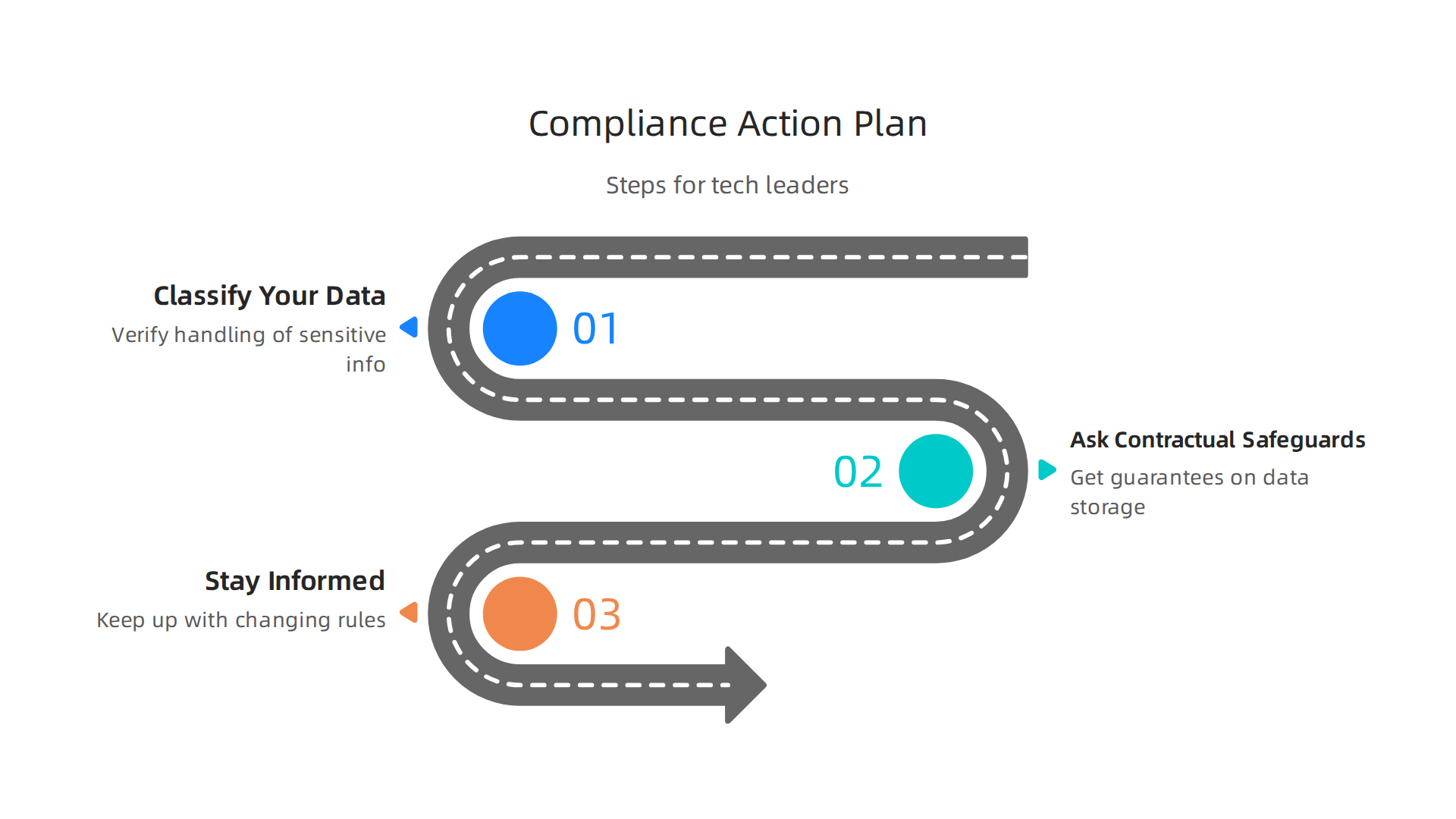
Second, ask for contractual safeguards. Get written guarantees from Mindgrasp AI about where your data is stored, who can access it, and how it is deleted when you leave. Third, stay informed. The rules around AI compliance change fast. Staying on top of these AI regulations is a full time job. Get clear daily updates straight to your inbox with The Deep View Newsletter.
Mindgrasp AI has solid security foundations. But enterprise readiness is not just about ticking a SOC 2 box. It is about matching the tool’s controls to your specific regulatory burden. Do your homework before you deploy.

Pricing and Plans: Value Analysis for Different Team Sizes
Now that you know about security, let’s talk about cost. Mindgrasp AI pricing is straightforward for individuals but gets custom for teams.
Individual plans. Mindgrasp AI offers three paid plans for individuals: Basic, Scholar, and Premium. There is no free tier. You can try the tool with a 4-day free trial, but you need to enter a credit card upfront. If you do not cancel before the trial ends, you get charged. The Mindgrasp AI pricing page shows that annual plans are cheaper. Basic costs $5.99 per month billed yearly. Scholar is $8.99 per month yearly. Premium is $10.99 per month yearly. All plans include unlimited AI assistant questions, notes, summaries, flashcards, and file uploads. Higher plans add things like a math expert, more recording hours, and image analysis.
How does this compare to similar tools? Competitors like Otter.ai and Fireflies.ai offer free tiers with limited minutes. Mindgrasp does not have a free tier, which can be a downside if you want to test before paying. But its annual pricing is competitive for the features you get. If you are a student or individual user, the Scholar or Premium plan gives you good value.
Team and business plans. For teams, Mindgrasp AI offers custom plans with admin controls, priority support, and audit logs. These are important for compliance teams. The Business plan includes dedicated data processing region options. That means you can choose where your data is stored. If you work in a regulated industry, this is a big plus. You need to contact sales for custom pricing.
When you compare Mindgrasp AI to other generative AI tools, the pricing is fair for what you get. Just remember the trial requires a credit card, so set a reminder to cancel if you are not ready to commit.
Real-World Use Cases: How Tech Teams Are Leveraging Mindgrasp AI
So you have a sense of the pricing. Now let’s look at how real teams put Mindgrasp AI to work. The tool is not just for students. Product teams, legal groups, and compliance departments are finding clever ways to save hours every week.
Product teams use it to summarize customer interviews. Have you ever sat through hours of recorded user feedback sessions and wished you could get the highlights in five minutes? That is exactly what Mindgrasp AI does. Team members upload recordings or transcripts, and the tool pulls out key themes, pain points, and requests. Instead of one person taking messy notes while another scrubs through audio, the AI handles the heavy lifting. This lets designers and product managers focus on what the feedback actually means, not on transcribing it.
Legal and compliance teams rely on meeting transcription and keyword search. When you are tracking regulatory discussions, every detail matters. Mindgrasp AI can transcribe meetings and let you search for specific terms like "data breach" or "update our privacy policy." This makes it much easier to find action items and hold people accountable. For teams that need to stay on top of changing rules, this kind of quick retrieval is a game changer. If your work involves AI regulations 2026 compliance strategies, having a tool that organizes your meeting notes can save you from costly mistakes.
Real results speak louder than hype. Early case studies point to a 30% reduction in meeting-related documentation time. That means a team that spends 10 hours a week on notes and summaries can cut it down to about 7 hours.

And the accuracy stays high because the AI pulls directly from the source material. According to a Mindgrasp AI’s study and productivity features review, the platform automatically generates notes and flashcards from uploaded content, which is exactly what teams need when they process lots of information fast.
The most common setup we see is this: one person records a meeting or uploads a document. Everyone else gets a clean summary and a searchable transcript within minutes. No more "did anyone catch what she said about the timeline?" moments.
To stay on top of how AI tools like this are changing compliance and productivity, get clear daily AI updates from The AI Newsletter Worth Reading. It helps you spot new opportunities before your competitors do.
Summary
This review evaluates Mindgrasp AI through a compliance-first lens for 2026, explaining what the tool does, how it processes data, and whether it meets today’s stricter regulatory demands. The article describes Mindgrasp’s core features—real-time summarization, multimodal support (audio, video, slides, PDFs), integrations with Zoom and LMS platforms, and study tools like flashcards—while comparing it to Otter.ai, Fireflies.ai, and Notion AI. It examines security foundations (SOC 2 Type II, GDPR, end-to-end encryption) and highlights the crucial model-training and data-residency questions that determine enterprise readiness. Pricing, trial quirks, and team plans with admin controls are covered so buyers can weigh cost versus controls. The piece gives practical next steps—classify your data, demand contractual safeguards, verify storage regions, and restrict sensitive uploads—and shows real use cases where teams cut documentation time by roughly 30%. Overall, the article helps tech leaders decide if Mindgrasp fits their compliance stack and what to require before rollout.